
Kimi K3.1 Pro Subscription: What Each Tier Actually Buys You — and Which One to Skip
Published · 5 min read
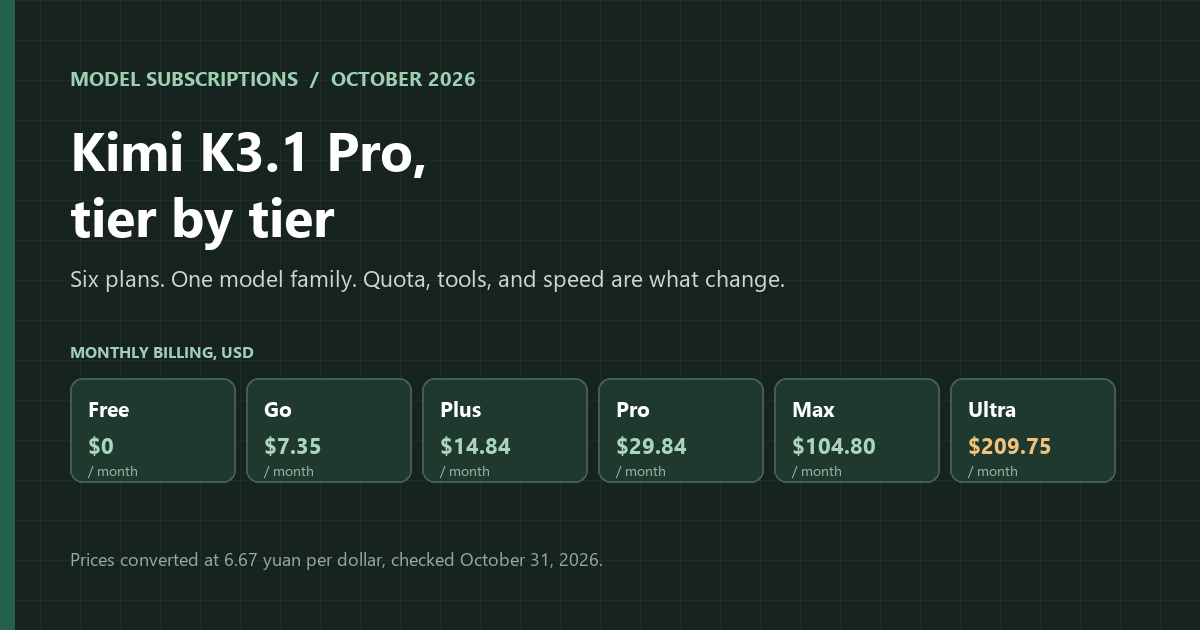
As of October 31, 2026: Kimi K3.1 Pro ships with a kimi.com membership, and the ladder has six rungs: Free, Go, Plus, Pro, Max, and Ultra, priced from $0 to $209.75 per month. Every paid plan runs the standard model. What changes is agent quota, how many tasks run in parallel, access to Kimi Code and Highspeed, and whether the million-token window is included. Calls made through the API are billed separately. If you only chat, stop at Go. If you never touch Kimi Code, Plus is the upgrade to skip.
In this article
A seat in the app is not an API balance
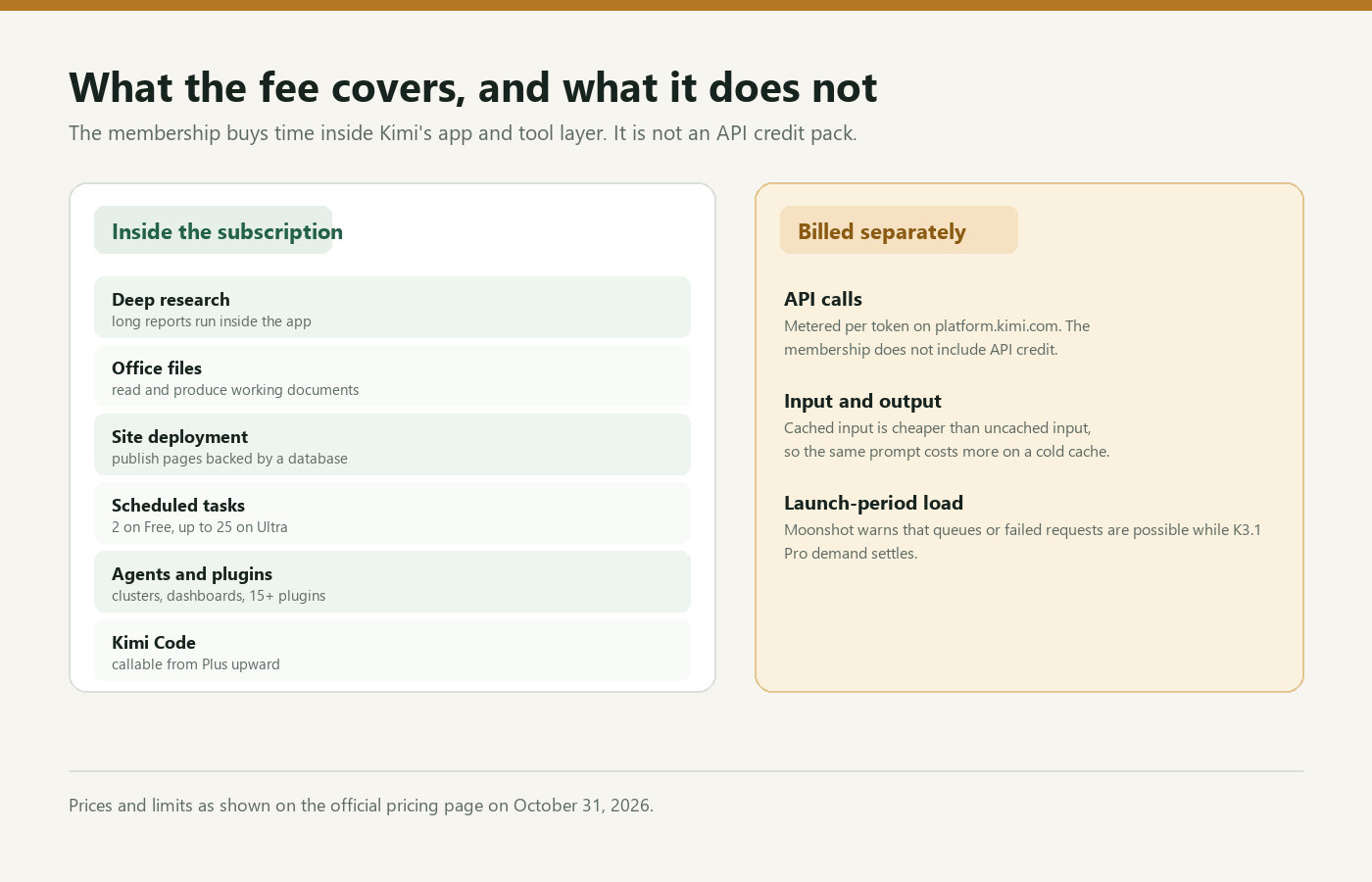
Moonshot sells access to Kimi K3.1 Pro in two ways, and the membership covers one of them. The subscription buys a place inside Kimi's app. That place covers conversation, agent runs, document handling, investigation, publishing, and a queue that limits how much runs at once. Code you run yourself does not draw on that place. It reaches the model through platform.kimi.com and is metered per token. If your workflow uses both, budget for both.
Six prices, one annual discount
Monthly rates start at zero and climb to $209.75. Paying for a year reduces every paid plan by roughly 20%, and no tier charges a setup fee.
| Plan | Month to month | Annual billing | Effective monthly |
|---|---|---|---|
| Free | $0 | $0 | $0 |
| Go | $7.35 | $70.16 | $5.85 |
| Plus | $14.84 | $142.13 | $11.84 |
| Pro | $29.84 | $286.06 | $23.84 |
| Max | $104.80 | $1,005.70 | $83.81 |
| Ultra | $209.75 | $2,013.19 | $167.77 |
Annual billing is one payment for the full year. Divide it by twelve and Go lands at $5.85, Plus at $11.84, Pro at $23.84, Max at $83.81, Ultra at $167.77. The biggest annual gap belongs to Ultra: about $504, the headline saving on Moonshot's pricing page. A month-to-month subscriber pays the higher figure in the left column.
Which tier can you skip?
Start from the work, not the price. Someone who mostly chats will find enough in the free or Go plan; higher tiers start to earn their keep once the agent handles work you used to do yourself. That makes Plus the easiest upgrade to skip if you never use Kimi Code. It costs about twice Go for code access, a 2x quota label, and cluster features. Pro earns its fee when you watch the agent work and the wait breaks your flow. Max is the answer when a single chat has to hold a very long document or a sizable repository. Ultra is for automation that runs all day.
| Your work | Tier | Why |
|---|---|---|
| Chat, occasionally run an agent | Free or Go | The cheapest paid option, with Office files, research reports, and site publishing included. |
| Write code inside the app | Plus | Kimi Code becomes callable here. |
| Agent work where waiting breaks flow | Pro | Highspeed and a 4x quota label. |
| One long document or a large codebase | Max | Million-token conversations start here. |
| Automation that runs all day | Ultra | 28x quota, 25 scheduled tasks, group chats. |
The usual mistake is paying for capability you never call. Someone who only chats and moves from Go to Plus pays double for Kimi Code and a larger allowance; neither changes a conversation that never leaves the app.
The quota ladder, in numbers
| Limit | Free | Go | Plus | Pro | Max | Ultra |
|---|---|---|---|---|---|---|
| Agent quota label | none | more | 2x | 4x | 14x | 28x |
| Parallel agent tasks | 1 | 1 | 2 | 2 | 4 | 4 |
| Scheduled tasks | 2 | 6 | 10 | 15 | 20 | 25 |
| Projects | 2 | 20 | 20 | 20 | 100 | 100 |
| Project storage | 500MB | 20GB | 20GB | 20GB | 50GB | 50GB |
| Kimi Code | no | no | yes | yes | yes | yes |
| K3.1 Pro Highspeed | no | no | no | yes | yes | yes |
| 1M-token conversations | no | no | no | no | yes | yes |
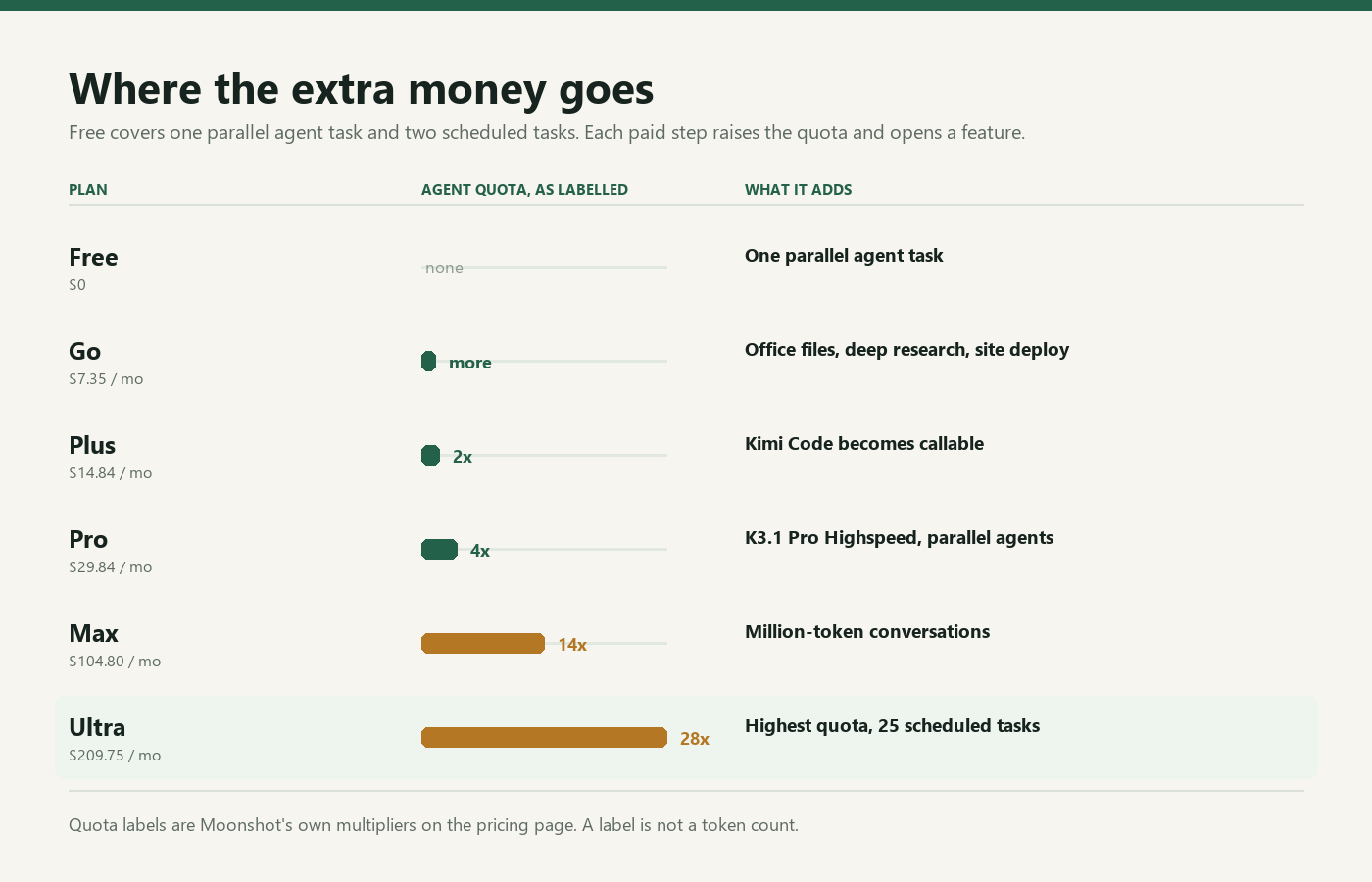
The free tier is a real working plan, not a trial. It allows one agent task at a time, two timer-based jobs, a pair of projects, and 500MB of storage. Paid plans lift projects to 20 and storage to 20GB; Max and Ultra go to 100 projects and 50GB. Parallelism doubles at Plus and again at Max. Scheduled tasks rise in steps from 6 on Go to 25 on Ultra. The multipliers (2x, 4x, 14x, 28x) are Moonshot's labels, not token counts, so do not read them as a precise allowance.
Three gates: Kimi Code, Highspeed, the million-token window
Most of the ladder is arithmetic. Three features are binary, and they decide the tier for many buyers. Kimi Code opens at Plus, which makes Plus the entry point for writing code in the app. Highspeed arrives at Pro, and it is the part that alters the feel of interactive work. A conversation can reach one million tokens only from Max upward; lower plans do not list that capacity. Ultra does not add a fourth gate. It doubles the top quota from 14x to 28x and adds five scheduled tasks.
What the fee includes besides model access
Moonshot bundles a set of in-app tools with the membership. Every tier lists more than fifteen plugins, among them paid finance and business databases from Tonghuashun and Tianyancha. Paid plans also include document work in Office formats, deep research plus site deployment backed by a database. Pro is where Kimi Claw adds group chats and where Highspeed first appears. You pick from a menu, and the agent invokes the tool; no function schema or tool loop is required. For custom tools, custom retries, or custom logs, switch to the API, where a token meter applies.
What the membership does not cover
API credit is the obvious exclusion. Calls from software you write land on a separate token meter, so the membership does not reduce that bill. Two feature limits catch buyers more often than expected: Go and Plus lack Highspeed, and the 1M-token option appears only at Max. Moonshot also warns that early K3.1 Pro demand can produce queues or failed requests, and that waiting time tracks overall load. What you get is capacity, not a promise about response time.
Frequently asked questions
Does a Kimi membership include API access?
No. The plan covers the application, its agent, and the included tools. Usage on platform.kimi.com is billed per token.
Where does K3.1 Pro Highspeed start?
Only the top three: Pro, Max, and Ultra. The two cheaper paid plans stay on the standard model.
Can every tier handle a million-token conversation?
No. Max and Ultra are the only tiers that list it.